Primebook Android 15 Laptop Review: Helio G99, 8GB RAM & 14-Hour Battery | DaD
Primebook Android 15 Laptop Review: Helio G99, 8GB RAM, 14.1-Inch FHD Display — Is It Worth Buying?| Digitsal Sidra .
Finding a laptop that balances everyday productivity, portability, battery life, and affordability can be challenging. Many buyers need a reliable device for online classes, browsing, document editing, video calls, and entertainment, but they may not need the processing power or complexity of a traditional Windows laptop.
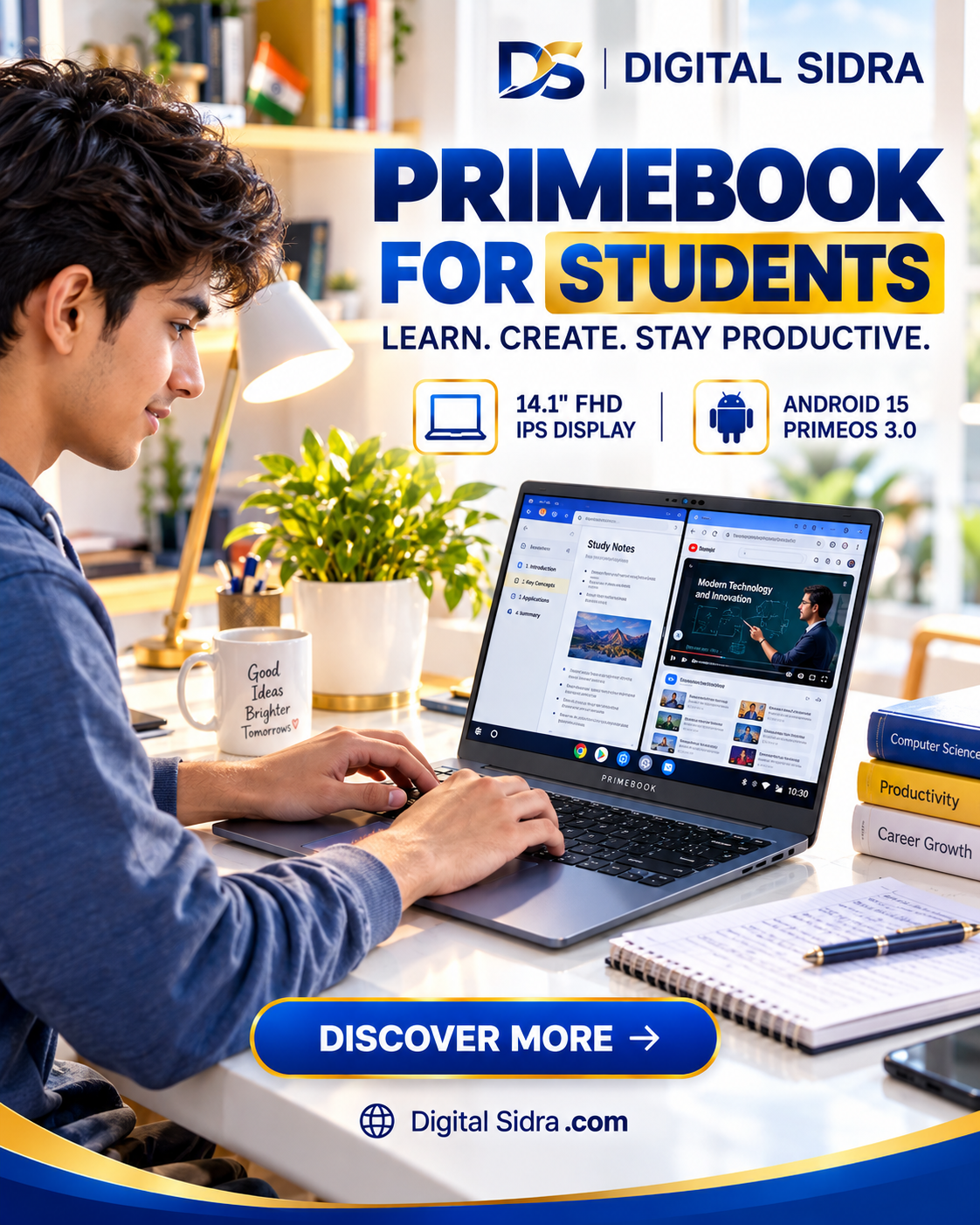
This is where the Primebook Android 15 laptop with PrimeOS 3.0 presents an interesting alternative.
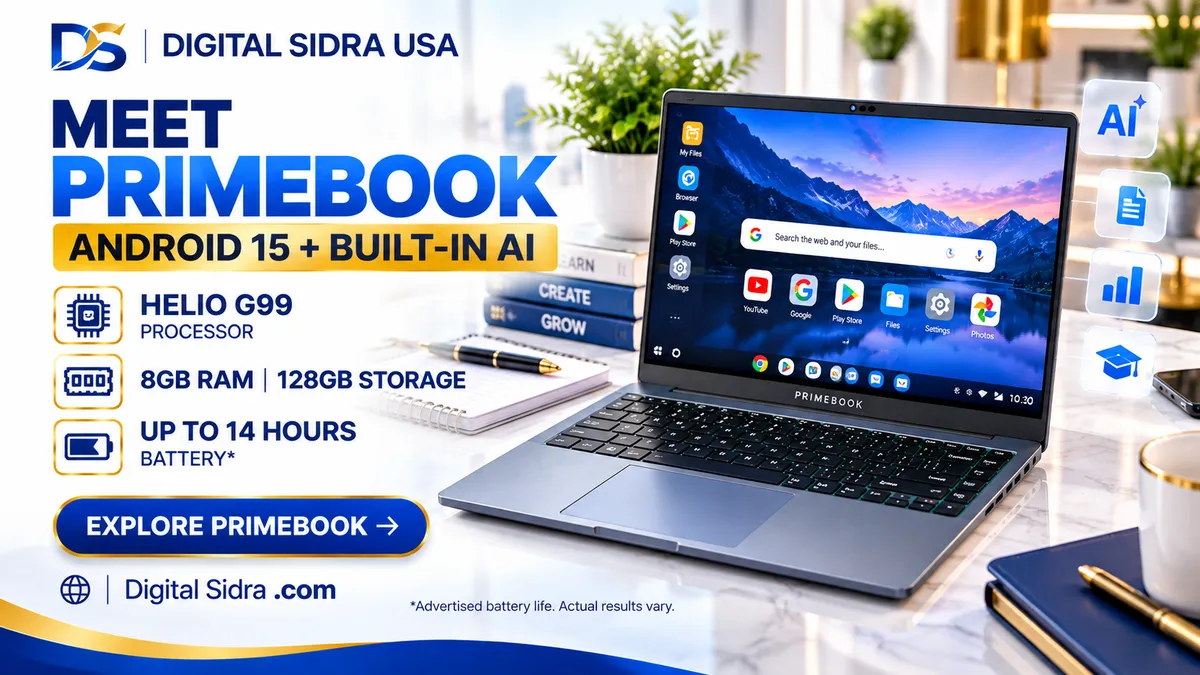
Featuring a MediaTek Helio G99 processor, 8GB LPDDR4X RAM, 128GB UFS storage, and a 14.1-inch Full HD IPS display, this device aims to deliver a laptop-style experience using an Android-based operating system.
Its advertised highlights include up to 14 hours of battery life, a backlit keyboard, built-in AI tools, and optional cloud access to Windows and Linux applications.
However, the most important question is not simply whether the specifications look attractive.
Can an Android-powered laptop genuinely replace a conventional laptop for your daily needs?
In this DIGITAL SIDRA review, we examine the Primebook's capabilities, practical advantages, important limitations, and ideal users to help you make an informed buying decision.
Primebook Android 15 Laptop: Key Specifications
Feature | Specifications |
|---|---|
Operating System | Android 15-based PrimeOS 3.0 |
Processor | MediaTek Helio G99 |
CPU Configuration | Octa-core, up to 2.2GHz |
RAM | 8GB LPDDR4X |
Internal Storage | 128GB UFS |
Expandable Storage | microSD support up to 1TB |
Display | 14.1-inch Full HD IPS |
Display Finish | Anti-glare |
Battery | 60.3Wh |
Advertised Battery Life | Up to 14 hours |
Keyboard | Backlit |
Connectivity | USB-A, USB-C, 3.5mm audio |
Speakers | Dual stereo speakers |
Microphones | Dual microphones |
AI Features | AI Global Search, Gemini-powered assistant |
Cloud Computing | Optional Windows/Linux Cloud PC |
Colour | Gray |
These specifications are based on the supplied product description. Actual performance, compatibility, and battery endurance may vary.
Design and Everyday Usability:
:The Primebook is designed around a familiar laptop form factor, combining a physical keyboard, trackpad, and 14.1-inch display.
This approach makes it particularly interesting for users who prefer typing on a laptop rather than relying entirely on a touchscreen smartphone or tablet.
The inclusion of a backlit keyboard is another practical advantage, especially for students working in shared rooms or users typing during evening hours.
Its relatively compact screen size also makes the device suitable for carrying between home, college, and other workspaces.
However, buyers should remember that a laptop-style design does not automatically provide the same software capabilities as a Windows laptop.
The experience depends heavily on PrimeOS and the applications available for Android.
DIGITAL SIDRA Buying Insight:
If your daily activities primarily involve browser-based applications, online learning, emails, and Android productivity tools, the Primebook's design could make practical sense.
MediaTek Helio G99: Understanding Its Performance:
At the heart of this Primebook is the MediaTek Helio G99 processor.
This octa-core chipset operates at speeds of up to 2.2GHz and is designed for efficient performance in mobile-oriented computing environments.
For everyday activities such as browsing, video streaming, reading PDFs, attending online classes, and working with supported productivity applications, the processor offers a reasonable hardware foundation.
The combination of Android-based software and a mobile processor may also contribute to efficient power consumption.
Nevertheless, the Helio G99 should not be confused with high-performance Intel Core, AMD Ryzen, or Apple Silicon laptop processors.
It is not intended for demanding desktop video editing, advanced 3D rendering, or professional software requiring powerful desktop-class hardware.
What About Multitasking?
PrimeOS 3.0 introduces laptop-oriented features such as multiple application windows and a desktop-style interface.
These capabilities can make switching between supported Android applications more convenient.
Actual responsiveness will depend on application requirements, background processes, and software optimisation.
8GB RAM and 128GB UFS Storage:
The Primebook includes 8GB LPDDR4X memory and 128GB UFS internal storage.
For an Android-based productivity device, 8GB RAM provides useful capacity for running compatible applications and managing everyday multitasking.
Users working with documents, browser tabs, educational apps, and communication tools may find this configuration appropriate.
The 128GB storage capacity can accommodate essential applications, downloaded study materials, and personal files.
However, storage needs vary considerably.
Users who download large videos, maintain extensive offline media collections, or install numerous applications may eventually require additional space.
Fortunately, the product description mentions microSD expansion support of up to 1TB.
This provides a practical option for storing compatible files and media, although expandable storage should not be assumed to perform identically to internal UFS storage.
14.1-Inch Full HD IPS Display:
One of the Primebook's appealing specifications is its 14.1-inch Full HD IPS display.
A Full HD panel provides useful screen resolution for documents, online classes, streaming, and general productivity.
IPS technology is associated with wider viewing angles than basic TN panels, although actual colour quality and brightness depend on the specific display implementation.
The anti-glare finish is another welcome addition.
It can help reduce distracting reflections when working under indoor lighting.
For students who regularly read PDFs, attend lectures, or prepare assignments, this combination could be especially useful.
However, the available product information does not establish professional colour accuracy, maximum brightness, or advanced display certifications.
Therefore, buyers requiring a colour-critical display for professional photography or design should investigate those details before purchasing.
PrimeOS 3.0: Android With a Laptop Experience:
The most distinctive feature of this device is its operating system.
Instead of traditional Windows, the Primebook runs Android 15-based PrimeOS 3.0.
The software is designed to bring familiar laptop interactions to the Android ecosystem.
According to the product description, it supports multi-window multitasking, full-screen application experiences, keyboard and trackpad navigation, and desktop-style file management.
This approach may be particularly attractive to people already comfortable using Android smartphones.
However, compatibility remains a major consideration.
Not every Android application is necessarily optimised for a physical keyboard, trackpad, or laptop-sized display.
Similarly, Windows desktop applications cannot be installed locally simply because the device looks like a conventional laptop.
This distinction is essential when comparing the Primebook with Windows alternatives.
Built-In AI Features: Useful or Just Marketing?
The Primebook highlights two AI-oriented capabilities.
The first is AI-powered Global Search, intended to help users locate applications, files, settings, and relevant information.
The second is an AI assistant described as being powered by Gemini.
According to the supplied description, this assistant can provide contextual assistance, explanations, summaries, and answers related to on-screen information.
These features may be useful for students, researchers, and users exploring AI-assisted productivity.
For example, AI assistance could potentially support reading comprehension, information discovery, and basic learning tasks.
However, the availability and functionality of individual AI features may depend on software updates, connectivity, supported services, and account requirements.
AI-generated answers should also be checked for accuracy, especially when used for academic or professional purposes.
Up to 14 Hours of Battery Life:
Battery endurance is another headline feature.
The Primebook includes a 60.3Wh battery, with the manufacturer-provided description advertising up to 14 hours of operation.
That sounds appealing for students and users who frequently work away from charging points.
However, advertised battery figures are usually obtained under particular testing conditions.
Real-world endurance can change depending on screen brightness, wireless connectivity, application activity, video streaming, and background processes.
For example, intensive multitasking or continuous video conferencing may consume more power than light document reading.
Consequently, buyers should treat the 14-hour figure as an advertised maximum rather than guaranteed everyday battery life.
Connectivity, Audio, and Online Classes:
The Primebook includes multiple physical connectivity options.
According to the supplied specifications, these include two USB Type-A ports, USB Type-C connectivity, a 3.5mm audio jack, and a dedicated microSD slot.
Type-C charging support adds convenience, although buyers should confirm compatible charging accessories and power requirements.
Dual stereo speakers and dual microphones are also included.
These features are relevant for online classes, video meetings, recorded lectures, and entertainment.
Nevertheless, microphone clarity and speaker quality cannot be reliably judged from specifications alone.
Users who frequently attend professional meetings may still prefer dedicated headphones or an external microphone.
Windows and Linux Cloud PC Access:
One of the most interesting advertised features is optional Windows and Linux Cloud PC access.
The concept is straightforward: instead of running demanding desktop applications directly on the Primebook's hardware, users access a remote computing environment.
The product description mentions applications such as VS Code, Figma, LibreOffice, and GIMP.
This could potentially expand the device's usefulness for coding, design, and productivity workflows.
However, there are important conditions.
Cloud PC access requires a suitable internet connection and an additional subscription.
Performance also depends on the remote service, network latency, available resources, and application compatibility.
A cloud-based desktop should not be confused with having Windows or Linux installed locally.
Buyers who depend on professional desktop applications should investigate subscription charges, software availability, and connectivity requirements before making a purchase.
Who Should Consider the Primebook?
The Primebook Android 15 laptop may be a sensible option for users whose computing requirements are relatively straightforward.
Students attending online classes, completing browser-based assignments, reading educational material, and using compatible Android applications are among its potential audiences.
It may also appeal to people who want a dedicated keyboard and larger display for everyday internet use.
Users interested in lightweight productivity, communication, streaming, and learning tools may appreciate its Android-focused approach.
Who Should Avoid It?
The Primebook is less suitable for buyers who require native Windows applications, demanding PC games, professional desktop editing software, or advanced engineering programs.
It is also not an ideal replacement for a workstation or high-performance Windows laptop.
Before purchasing, check whether your essential applications are available and properly supported on PrimeOS.
Primebook Android Laptop: Pros and Cons:
Advantages
Android 15-based PrimeOS 3.0
Laptop-oriented multitasking interface
14.1-inch Full HD IPS display
8GB RAM for compatible everyday applications
Expandable storage through microSD
Backlit keyboard
Advertised battery life of up to 14 hours
Integrated AI-oriented features
Optional cloud computing capabilities
Limitations
Does not run Windows applications natively
MediaTek Helio G99 is not a desktop-class processor
128GB internal storage may be restrictive
Android application compatibility can vary
Cloud PC requires a separate subscription
AI functionality may depend on internet connectivity
Advertised battery endurance is not guaranteed
Custom HTML/CSS/JavaScript
Primebook vs Traditional Windows Laptops:
Choosing between a Primebook and a Windows laptop depends more on software requirements than appearance.
A conventional Windows laptop generally offers broader compatibility with desktop applications, business software, peripherals, and professional tools.
The Primebook takes a different approach by prioritising an Android-based computing experience.
For users who already complete most tasks through browsers and Android applications, this distinction may not be a major problem.
For others, particularly those requiring specialised desktop software, it could become a significant limitation.
Therefore, buyers should begin by listing the applications they use every day.
If those applications work properly on PrimeOS, the Primebook becomes a more realistic option.
If they require Windows, choosing a traditional Windows laptop may be the safer decision.
Final Verdict: Is the Primebook Worth Considering?
The Primebook Android 15 laptop offers an interesting alternative to conventional entry-level laptops.
Its combination of a MediaTek Helio G99 processor, 8GB RAM, 14.1-inch Full HD IPS display, backlit keyboard, and Android 15-based PrimeOS 3.0 creates a productivity-focused package.
The advertised 14-hour battery life, AI features, and optional cloud desktop access add further appeal.
However, its value depends heavily on the buyer's expectations.
This is not a direct replacement for every Windows laptop.
It is better understood as an Android-powered laptop designed primarily for compatible applications, education, browsing, entertainment, and everyday productivity.
DIGITAL SIDRA's recommendation: Consider this Primebook if you want an Android-focused laptop experience and have confirmed that your essential applications are compatible.
If you need demanding desktop software, advanced gaming, or professional workstation performance, compare conventional Windows laptops before deciding.
DIGITAL SIDRA Editorial Assessment: A promising Android productivity option, with software compatibility being the most important factor to verify.
Affiliate Disclosure:
DIGITAL SIDRA participates in affiliate marketing programs and may earn a commission when qualifying purchases are made through affiliate links, at no additional cost to the buyer.
This article is based on supplied product specifications and general technical analysis. DIGITAL SIDRA does not claim to have personally purchased, used, or tested this laptop.
Product features, compatibility, software subscriptions, and availability may change. Always verify the latest details on the official product listing before purchasing.
DIGITAL SIDRA — Learn Better. Choose Smarter. Earn Smarter.