
Apple 2026 MacBook Pro
Apple MacBook Pro 14-inch M5 Max Review: Who Actually Needs This Much Power? | DIGITAL SIDRA
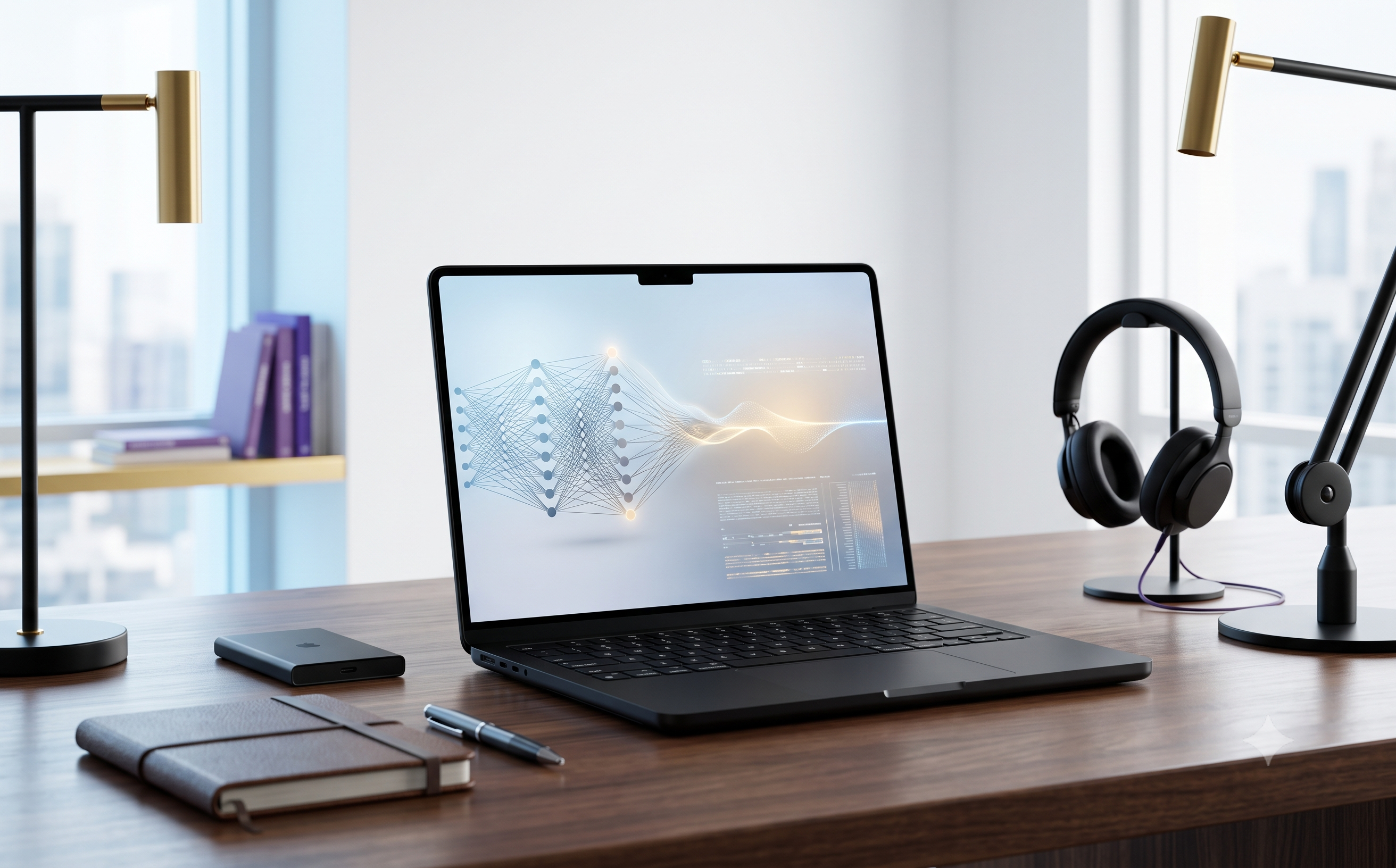
There are expensive laptops, and then there are laptops that make you stop and ask a different question:
“Do I actually need this much power?”
The 14-inch Apple MacBook Pro with the M5 Max chip, 36GB unified memory and 2TB SSD belongs firmly in that second category.
This isn't the MacBook you buy simply because you want a nice laptop.
It isn't the machine I'd recommend to someone who mainly browses the web, writes emails, watches Netflix and works with basic documents.
This is a professional machine.
And that distinction matters.
Apple has equipped this particular MacBook Pro with an 18-core M5 Max CPU, 32-core GPU, 36GB unified memory and 2TB SSD, along with a 14.2-inch Liquid Retina XDR display. The M5 Max also includes dedicated Neural Accelerators, hardware-accelerated ray tracing, a 16-core Neural Engine and a powerful media engine designed around demanding professional workflows.
But specifications alone don't tell you whether a laptop is worth the money.
The real question is:
Who will actually notice the difference?
That's what this DIGITAL SIDRA review is about.
The First Impression: Compact, But Serious
The 14-inch MacBook Pro has always occupied an interesting position in Apple's lineup.
It is small enough to carry comfortably, but powerful enough to be considered a serious workstation.
The Space Black finish adds to that character.
It doesn't look like a gaming laptop trying to prove how powerful it is. There are no oversized vents or aggressive design elements.
It is restrained.
Professional.
And quite understated.
That makes sense because this is a machine aimed at people who may spend their days editing films, developing software, creating 3D content, working with large datasets or building AI workflows.
The 14.2-inch body also makes the machine much more portable than a traditional desktop workstation.
That combination is perhaps the MacBook Pro's biggest appeal:
serious performance without giving up portability.
Apple's official configuration confirms that this version comes with a 96W USB-C power adapter, backlit Magic Keyboard with Touch ID, three Thunderbolt 5 ports, HDMI, SDXC card slot, MagSafe 3 and a headphone jack.
And that port selection immediately tells you something.
Apple isn't treating this like a thin consumer notebook.
It is built for people who connect things.
M5 Max: Where the MacBook Pro Starts Making Sense
The M5 Max is the heart of this machine.
And honestly, it would be difficult to justify buying this particular configuration if you don't have a workload that can take advantage of it.
The chip includes an 18-core CPU and 32-core GPU, along with a 16-core Neural Engine and 460GB/s memory bandwidth. It also has dedicated media capabilities for H.264, HEVC, ProRes and ProRes RAW, including two video encode engines and two ProRes encode/decode engines.
Those numbers sound impressive.
But what do they actually mean?
Imagine you're editing a high-resolution video project while simultaneously working with effects, colour correction, audio and multiple applications.
Or you're compiling a large software project while running development tools, containers and local AI models.
Or you're creating 3D scenes and repeatedly rendering complex visual work.
This is where the M5 Max begins to justify its existence.
Apple itself positions the M5 Max around extreme workflows including large on-device LLMs, visual effects, 3D animation, film scoring and 8K video post-production.
That's a very different target audience from someone buying a laptop for Microsoft Word.
And that's exactly why I wouldn't call the M5 Max “overkill” without first asking what the buyer does.
For a student?
Probably overkill.
For a professional video editor working with demanding projects?
Potentially transformative.
36GB Unified Memory Is Where This Configuration Gets Interesting
One of the strongest aspects of this particular model is the 36GB unified memory.
This isn't just about having a large number on the specification sheet.
Apple's unified memory architecture allows the CPU, GPU and other parts of the system to access the same memory pool.
For professional workloads, that can be extremely useful.
Think about the difference between opening one ordinary application and working across several demanding applications at the same time.
A professional might have a video editor open alongside Photoshop, a browser with multiple project tabs, audio software, file management and perhaps an AI application.
That's where additional memory starts to matter.
The 36GB configuration also gives this machine considerably more breathing room than entry-level MacBook configurations.
And importantly, Apple allows the M5 Max family to scale much further, with configurations going up to 128GB unified memory.
So 36GB isn't the maximum.
But for many serious creators and developers, it is a very substantial middle ground.
The 2TB SSD Is More Important Than It Looks
Storage is another area where this particular configuration makes sense.
2TB.
For an ordinary user, that's a lot.
For a professional creator, it can disappear surprisingly quickly.
A few large video projects, RAW photographs, sound libraries, development environments and project archives can consume hundreds of gigabytes before you realise it.
That's why I like the fact that this configuration starts with 2TB rather than forcing a professional buyer into a tiny base drive.
Apple also offers larger storage configurations for the M5 Max, but 2TB is a much more comfortable starting point for serious work.
The important point is that the storage isn't simply about convenience.
It can reduce the number of times you have to move active projects between internal and external drives.
For a professional workflow, that matters.
The Liquid Retina XDR Display Is a Professional Tool
One of the easiest mistakes when looking at the MacBook Pro is to think of the display as simply a “beautiful laptop screen.”
It is more than that.
The 14.2-inch Liquid Retina XDR display has a 3024 × 1964 resolution, 254 pixels per inch, a 1,000,000:1 contrast ratio and up to 1,600 nits peak HDR brightness, with 1,000 nits sustained full-screen XDR brightness.
That becomes especially meaningful for photographers, video editors and designers.
When you're working with HDR footage or colour-sensitive material, the display isn't merely there to make Netflix look pretty.
It becomes part of your workflow.
The high contrast and brightness also make the screen extremely enjoyable for normal everyday use.
Text looks sharp.
Photos look rich.
Video looks excellent.
And the 14-inch size strikes a good balance between workspace and portability.
There is also ProMotion with up to 120Hz adaptive refresh, making scrolling and motion feel considerably smoother.
This is one of those displays that can make an ordinary laptop screen feel inadequate afterwards.
🛒 Check the Current Amazon Price
At this price level, I would never recommend buying based on a headline discount alone.
Check the exact M5 Max / 36GB / 2TB / Space Black configuration, seller, warranty and current Amazon price before ordering.
🛒 CHECK THE LATEST MACBOOK PRO M5 MAX PRICE ON AMAZON →
This is a DIGITAL SIDRA affiliate link. The price and availability may change.
AI Performance: This Is Where the M5 Max Gets Serious
Apple is pushing the M5 family heavily toward AI.
And with the M5 Max, that isn't just marketing decoration.
The chip includes Neural Accelerators in the GPU architecture as well as a 16-core Neural Engine. Apple says the M5 family is designed to accelerate workloads such as image generation, LLM prompt processing and on-device AI tasks.
The important word here is on-device.
For developers and advanced AI users, having a machine capable of running demanding models locally can change the workflow.
Instead of sending every task to a cloud service, some workloads can be processed directly on the machine.
That can be useful for privacy, latency, experimentation and development.
Of course, not every AI application suddenly becomes faster simply because you have an M5 Max.
Software optimisation matters.
Model size matters.
Memory requirements matter.
And cloud-based AI services remain extremely important.
But if you're genuinely building or experimenting with AI locally, the M5 Max is a much more serious proposition than an ordinary consumer laptop.
Video Editing: Probably the Strongest Reason to Buy It
If I had to choose one category where the M5 Max configuration makes the most obvious sense, it would be professional video work.
The dedicated media engine supports hardware acceleration for H.264, HEVC, ProRes and ProRes RAW, with two video encode engines and two ProRes encode/decode engines.
That architecture is designed around exactly the kind of work professional editors care about.
Large projects.
High-resolution footage.
Multiple streams.
Effects.
Colour grading.
Exports.
Encoding.
And repeated revisions.
Independent buying guides in 2026 continue to position M5 Max MacBook Pro models as the portable Mac choice for demanding video-editing workflows.
But there is an important caveat.
A 14-inch chassis is still a relatively compact thermal environment.
For extremely sustained workloads, independent testing has found that the 14-inch M5 Max can encounter thermal limitations under certain heavy workloads.
That's not necessarily a deal-breaker.
But it does mean I wouldn't automatically assume:
M5 Max = unlimited performance forever.
For someone doing occasional exports, it may never matter.
For someone rendering continuously for hours every day, the larger 16-inch model or a desktop workstation may make more sense.
Connectivity Is Finally Professional-Level
This is another area where the MacBook Pro separates itself from Apple's thinner consumer laptops.
You get:
Three Thunderbolt 5 ports
HDMI
SDXC card slot
MagSafe 3
3.5mm headphone jack
Apple says the M5 Max configuration can support up to four external displays.
For a professional workstation, that's a huge advantage.
A photographer can use an SD card directly.
A video editor can connect fast external storage.
A developer can build a multi-display workspace.
A creative professional can connect external monitors and peripherals without immediately reaching for a USB-C dongle.
That is exactly how a professional laptop should behave.
Battery Life: Impressive, But Don't Misread the Numbers
Apple's battery claims are strong, but this is one area where context matters.
Apple's testing for this exact M5 Max configuration reports up to 20 hours of video streaming and up to 13 hours of wireless web use under its test conditions. Apple also notes that battery life varies by usage and configuration.
Real professional workloads are different.
Rendering video, compiling code, running AI models or pushing the GPU hard will consume considerably more power than browsing websites.
So I wouldn't buy this machine expecting 20 hours while doing continuous 3D rendering.
The real achievement is that Apple has managed to combine workstation-level capability with genuinely useful battery life for lighter workloads.
That's what makes it portable.
Who Should Buy the M5 Max MacBook Pro?
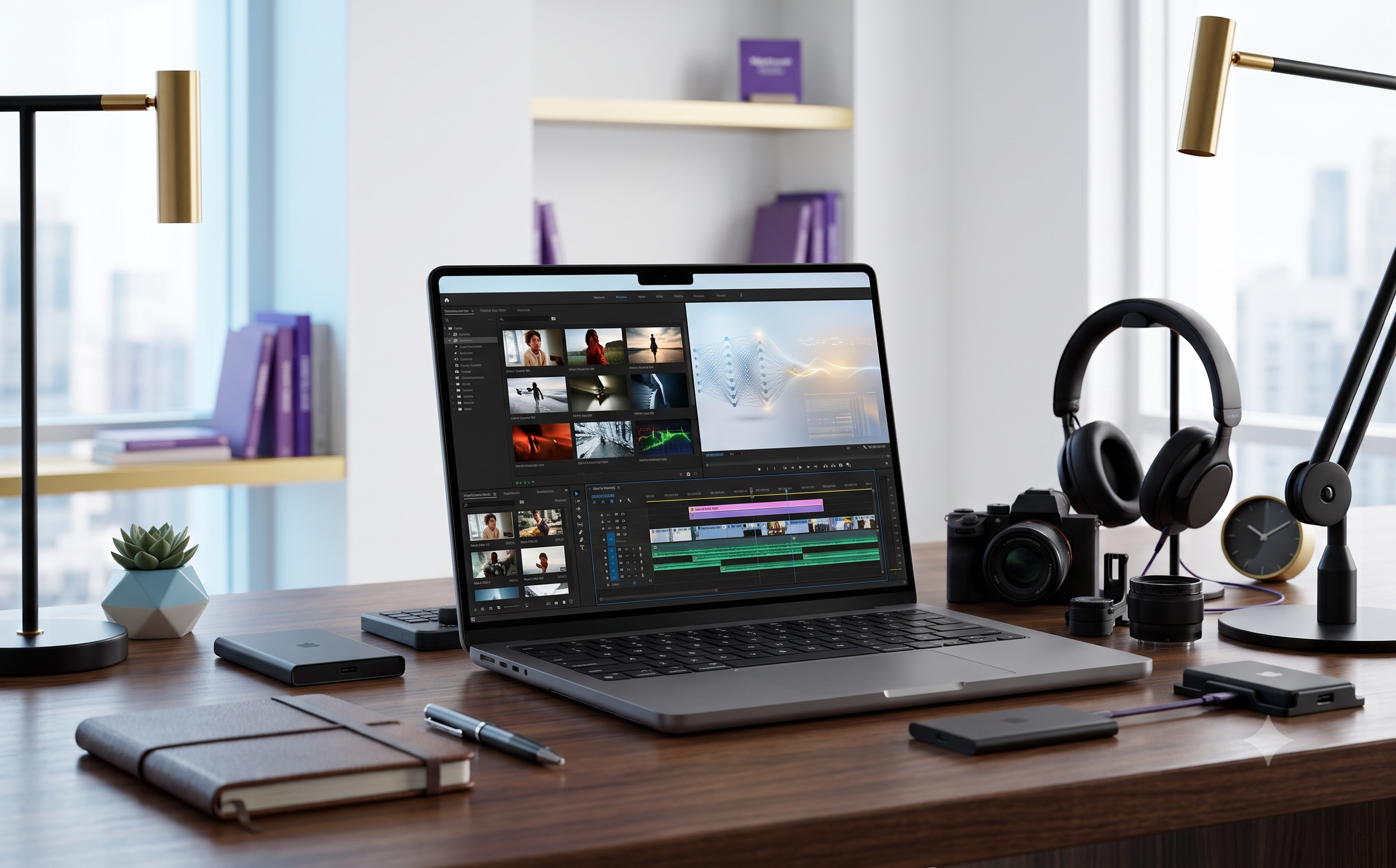
This is where the decision becomes much easier.
Professional Video Editors
If your livelihood depends on video editing, the M5 Max's media engines and GPU performance make strong sense.
3D Artists and Motion Designers
GPU-heavy applications can take advantage of the additional graphics resources.
AI Developers
If you're experimenting with local models, AI development or machine-learning workflows, the M5 Max's memory architecture and Neural Accelerators become much more relevant.
Software Developers
Developers working with large projects, containers, virtualised environments and demanding local tools can benefit from the additional memory and CPU performance.
Photographers and Creative Professionals
The display, memory and storage combination makes it a very capable creative workstation.
Professionals Who Need Portability
This may be the strongest overall audience.
You get serious workstation capability without being tied to a desktop.
Who Should NOT Buy It?
This is perhaps more important.
If you mainly:
Browse the internet
Use Microsoft Office
Write documents
Watch videos
Attend Zoom meetings
Manage email
Use social media
Perform basic business tasks
you almost certainly don't need an M5 Max.
A much cheaper MacBook configuration would probably give you an excellent experience.
Buying the M5 Max for those tasks would be like buying a professional cinema camera to take family photographs.
It will work.
It just doesn't make economic sense.
M5 Max vs M5 Pro: The Question Many Buyers Should Ask
Before spending this much money, I would actually compare the M5 Max against the M5 Pro.
Apple offers the 14-inch MacBook Pro with M5 Pro as well as M5 Max.
For many professional users, the M5 Pro could be the smarter purchase.
Why?
Because not every professional workload scales dramatically with GPU power.
If your work is primarily:
Software development
Office productivity
Photography
Moderate video editing
Web development
Business applications
the M5 Pro may offer enough performance without paying for the additional GPU capability you won't use.
The M5 Max becomes much easier to justify when your workflow is genuinely GPU-heavy, AI-heavy or media-intensive.
This is the biggest buying lesson here: don't buy the M5 Max because it is the fastest option. Buy it because your workload needs it.
Pros & Cons
Pros
Extremely powerful M5 Max performance
18-core CPU and 32-core GPU
36GB unified memory
Fast 2TB SSD
Exceptional Liquid Retina XDR display
Excellent professional video capabilities
Strong AI and on-device processing potential
Three Thunderbolt 5 ports
HDMI and SDXC card slot
Premium Space Black design
Excellent portability for a professional workstation
Cons
Extremely expensive
Overkill for ordinary users
14-inch chassis can face thermal limitations during some sustained workloads
Professional configurations become very expensive as memory and storage increase
M5 Pro may be better value for many professionals
Is the MacBook Pro M5 Max Worth the Money?
This is where I would resist giving you a simple “yes.”
Because the answer depends almost entirely on what you do.
If you are a professional creator who can save hours every week because exports are faster, projects are smoother and your machine doesn't constantly run out of memory, the price can make business sense.
If you're buying it because you want the most powerful MacBook you can own, that's a different story.
There's a difference between buying power and buying useful power.
The M5 Max delivers enormous capability.
The question is whether your work can convert that capability into time saved, productivity gained or income earned.
That is the real value calculation.
My Honest DIGITAL SIDRA Verdict
The 14-inch MacBook Pro with M5 Max, 36GB memory and 2TB storage is an extraordinary laptop.
But extraordinary doesn't automatically mean appropriate.
Its biggest strength is the combination of professional performance and portability.
You can carry a machine capable of serious video production, demanding creative work, AI development and high-end software workflows without carrying a desktop workstation.
The display is excellent.
The connectivity is genuinely professional.
The 36GB memory and 2TB storage make this particular configuration far more practical than an entry-level MacBook for serious work.
But the price is difficult to ignore.
And for many professionals, the M5 Pro could be the smarter financial decision.
For ordinary users, I wouldn't recommend the M5 Max at all.
DIGITAL SIDRA Rating: 9.3/10
For professionals: Excellent.
For creators: Outstanding.
For AI developers: Extremely compelling.
For ordinary users: Massive overkill.
For value-conscious professionals: Compare the M5 Pro before buying.
My final advice is simple:
If this MacBook can save you time every day, the M5 Max may be worth every rupee. If you're unlikely to use its professional horsepower, save your money and buy a lower-tier MacBook Pro instead.
That's the honest difference between wanting the fastest MacBook and actually needing it.
Final Buying Advice
Before purchasing, check the current Amazon listing carefully.
Make sure the configuration is exactly:
M5 Max • 18-core CPU • 32-core GPU • 36GB Unified Memory • 2TB SSD • 14.2-inch • Space Black
Also compare the current Amazon price against Apple's official configuration and check the seller, warranty and return terms.
Apple's official Indian store currently lists this exact 14-inch configuration with an MRP of ₹3,99,900, while current third-party tracking has shown Amazon pricing around ₹4.64 lakh; because online prices can change, verify the live price at the time you purchase.
🔥 VIEW THE APPLE MACBOOK PRO M5 MAX ON AMAZON →
About DIGITAL SIDRA
DIGITAL SIDRA helps readers make smarter decisions about technology, digital marketing, online business tools and products.
We don't believe every expensive product is automatically better.
Our goal is simple:
Learn better. Choose smarter. Earn smarter.
Affiliate Disclosure
Affiliate Disclosure: This article contains affiliate links. If you purchase through our link, DIGITAL SIDRA may earn a commission at no additional cost to you. Our opinions are based on the product's features, practical usefulness, limitations and value—not simply on the possibility of earning a commission.**.